Album Grid Maker
Pick the 9 albums that shaped your taste — classics, comfort records, first obsessions — and turn them into a 3×3 cover grid.
You get a page with your image, a link and forum code. Not listed on Google.
Album data and artwork by Apple iTunes
My 9 Albums
What is an album grid maker?
An album grid maker turns nine album covers into a clean 3×3 collage. People use it for “my top 9 albums”, “albums that made me” posts, Topsters-style lists and quick music taste screenshots.
This one searches album artwork directly, so you do not need to upload covers or crop a template by hand. Search an album, drop it into a tile, arrange the grid and download the finished image.
My 9 Albums
The 9 Albums That Shaped Who I Am
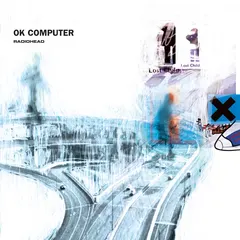
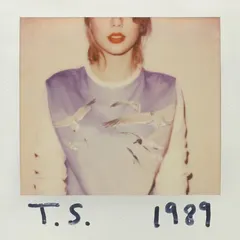

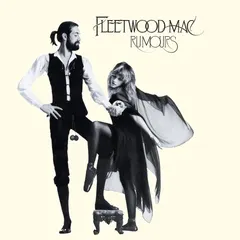

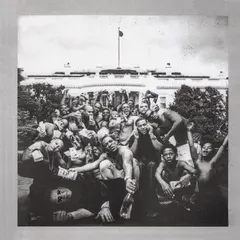


How it works
How to make your 3x3 album cover grid
01
Search 9 albums
Tap a tile and search by album or artist — “OK Computer”, “1989”, “宇多田ヒカル” all work.
02
Arrange the covers
Drag covers into your own order: chronological, by impact, by colour, or with the most important record in the centre.
03
Create and share
Tap Create to get your image, a link and forum code, then post it with #My9Albums on X, Instagram, Threads or music forums.
Where the album data comes from
My9Maker is a free browser tool by My9Maker. Album titles, artists, release years and artwork are searched through the Apple iTunes Search API for identification only. Album names, music trademarks and cover artwork remain with their respective owners.
By My9Maker. Published 2026-09-28; updated 2026-10-01.
01Is this a Topsters alternative?
Yes. It is a simple Topsters alternative for a 3x3 album cover grid: search albums, pick nine, arrange them and download one shareable image.
02Can I make a 3x3 album grid without uploading covers?
Yes. The maker searches album artwork for you through iTunes Search, so most tiles can be filled just by typing the album title or artist.
03Can I add EPs, singles or deluxe editions?
Yes. iTunes lists many EPs, singles and expanded editions as separate album results, and the title is kept as shown so you can choose the right one.
04Does it work with Spotify?
It does not connect to your Spotify account. It is a free browser maker: search the albums yourself, then share the image anywhere, including Spotify playlists or social posts.
05Why do Japanese albums appear only after I search in Japanese?
For searches with Japanese, Chinese or Korean characters, the maker asks iTunes for the Japan storefront so Japanese-language results are more complete.
06Is it free, and where is my grid saved?
It is free and needs no account. Your grid is saved only in this browser, so you can come back and finish it later on the same device.
07Where do the album covers come from?
Album names, artists and artwork come from the Apple iTunes Search API for identification only. Music and artwork belong to their respective owners.